This article contains frequently requested details regarding the contents of the server license log generated by the CimLM License Server Monitor.
This log can be found here: C:\Program Files\Oqton\License Server\Log\CimLmService_yyyy-MM.log
See also: Generating a License Log
Generic Example
The snippet below is a generic example of some common lines found in the log.
dd/MM/yy HH:mm:ss Server Start <Server_Name>      <Service_Port>  <LSM_Version> <Server_Lic_Folder> <Product>,<Lic_Version> | <Product>,<Lic_Version> |
dd/MM/yy HH:mm:ss Connection Start <User_Name>@<Client_Name> <Process_ID>  <Product> <Lic_Version> <Process_ID>
dd/MM/yy HH:mm:ss Client Grab Module  <User_Name>@<Client_Name> <Process_ID>  <Module_Name> <Product> <Lic_Version>
dd/MM/yy HH:mm:ss ModuleName <Module_Name> Success  1 of 1
dd/MM/yy HH:mm:ss Client Ungrab All Modules <User_Name>@<Client_Name> <Process_ID>  <Product> <Lic_Version>
dd/MM/yy HH:mm:ss Connection End <User_Name>@<Client_Name> <Process_ID>
dd/MM/yy HH:mm:ss  Server Stop <Server_Name>      <Service_Port> <LSM_Version> <Server_Lic_Folder>
The variable names used above are defined below:
- Server_Name
- The name of the server PC.
- Service_Port
- The port that the license service is running on. 10106 is the default value.
- LSM_Version
- The version of the License Server Monitor installed on the server.
- Server_Lic_Folder
- The location of the license file(s) (.cml) on the server.
- Product
- Lic_Version
- The license version for the license file in question.
- User_Name
- The name of the user account on the client PC.
- Client_Name
- The name of the client PC.
- Process_ID
- The process ID number of the client application.
- Module_Name
- The name of the license module/item/feature in question.
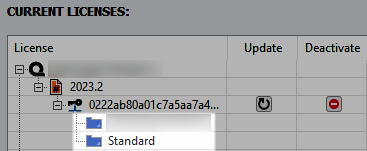
Below are additional definitions for the terms/phrases used in the log:
- Connection Start
- Indicates that a user attempted to make a connection to the server. For example, this would be logged when a client opens the application with the floating license enabled.
- Grab
- License acquisition/check out.
- 1 of X
- This indicates one module was grabbed out of X available modules of that license.
- Ungrab
- Return of license (check in).
- Connection End
- Indicates the user disconnected from the server. This could be from the client closing the software application or some other connection issue.
Additional Details
- The timestamps are always in this fixed format: dd/MM/yy HH:mm:ss
- The timestamps are in the local time zone of the server.
- The log will not record any special message if the server is rebooted.
- If a client user opens the software twice on the same PC, it will only trigger one grab in the log.
- As long as there is a connection between the client and the server, the logs should be recorded. Ungrab operation should not affect logs creation.
- Grab/Ungrab can be done for all modules or specific modules.
- Stopping the service will release all licenses and show in the log as "Server Stop".
- Termination of the server/service will not cause issues with the log creation.
- If a client tries to open the software without an available seat, then "MODULE_OR_PACKAGE_NOT_EXIST" will be shown in the log.